Standard 110V outlet (Device should remain plugged in 24/7)
A mobile phone or computer to peform Wifi setup. Not needed after setup.
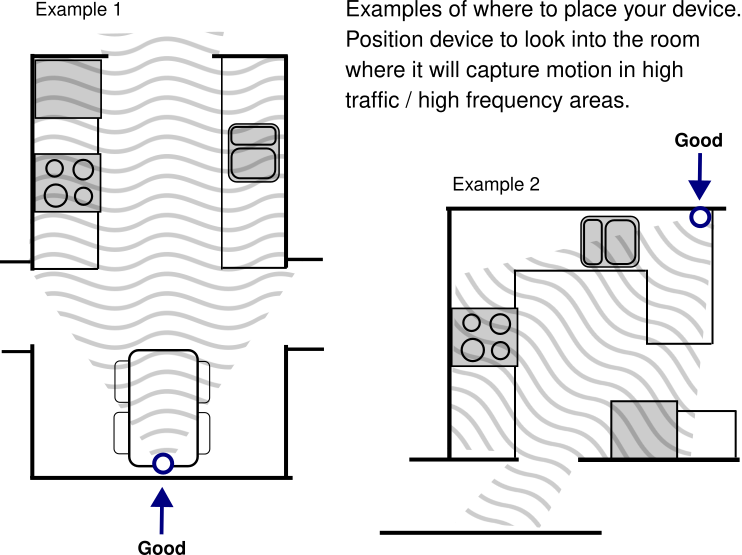
Device Placement
Your Nanavia device works best when placed in a room you visit regularly and frequently,
usually the kitchen.
Proper placement is important to ensure accurate detection.
Keep away from heat sources
The area the device is placed should remain free of obstructions to ensure it can monitor
properly.
Point the device into the room so the motion sensor (white ball) will detect most activity.
It can sense motion up to about 30 feet away and at a 100° field-of-view.
Setup Guide
Un-pack the device, power adapter and cord.
Plug the large end of the cord into the power adapter.
Plug the power adapter into an outlet.
Plug the small end of the power cord into the right side of the device.
The device will warm up and display a rainbow of colors for 30 seconds.
Next the device will turn itself into a Wifi access point and flash ● blue.
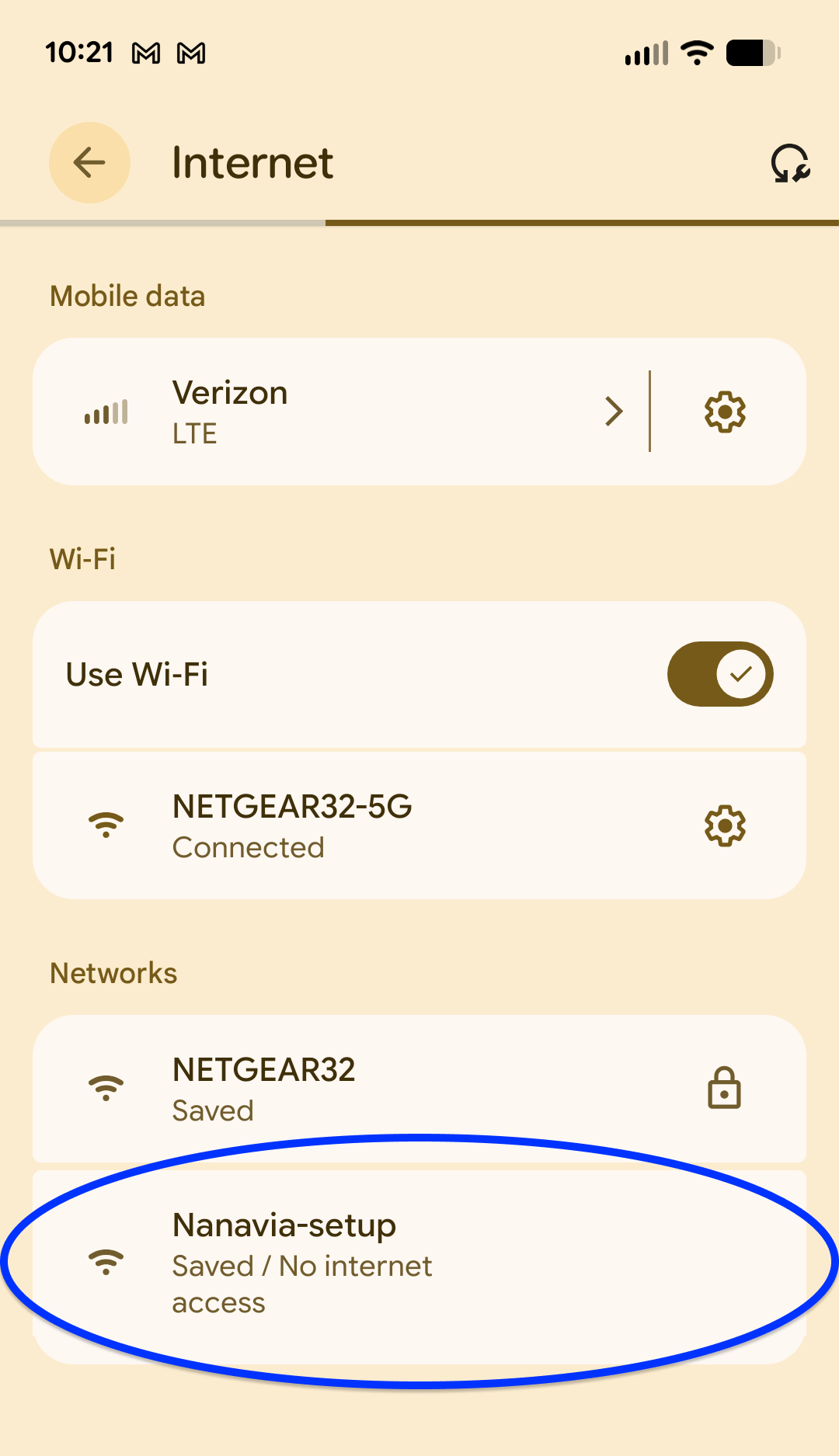
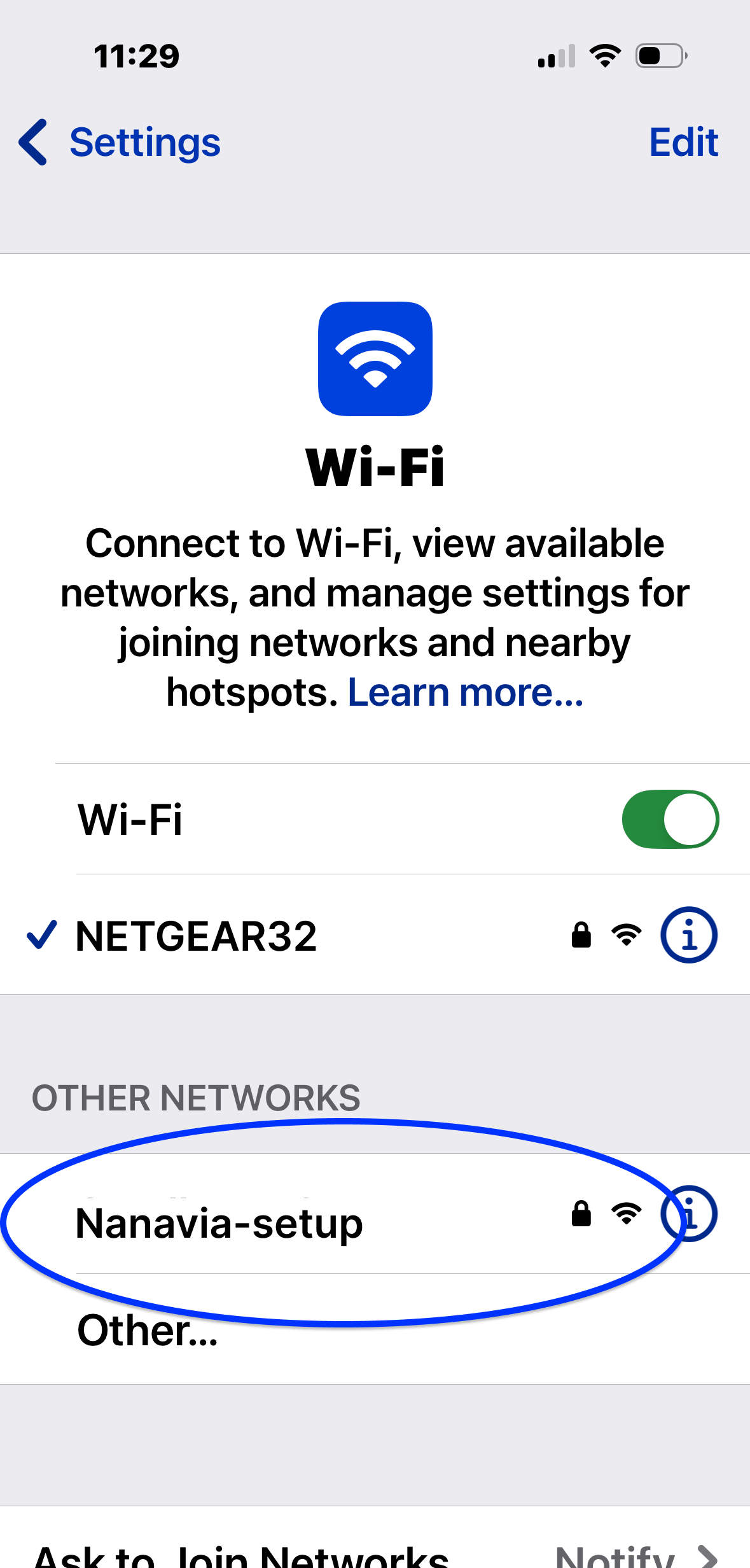
On your phone or computer and go to Settings > Internet. Join a network called
“Nanavia-setup”. Once joined the device will glow white.
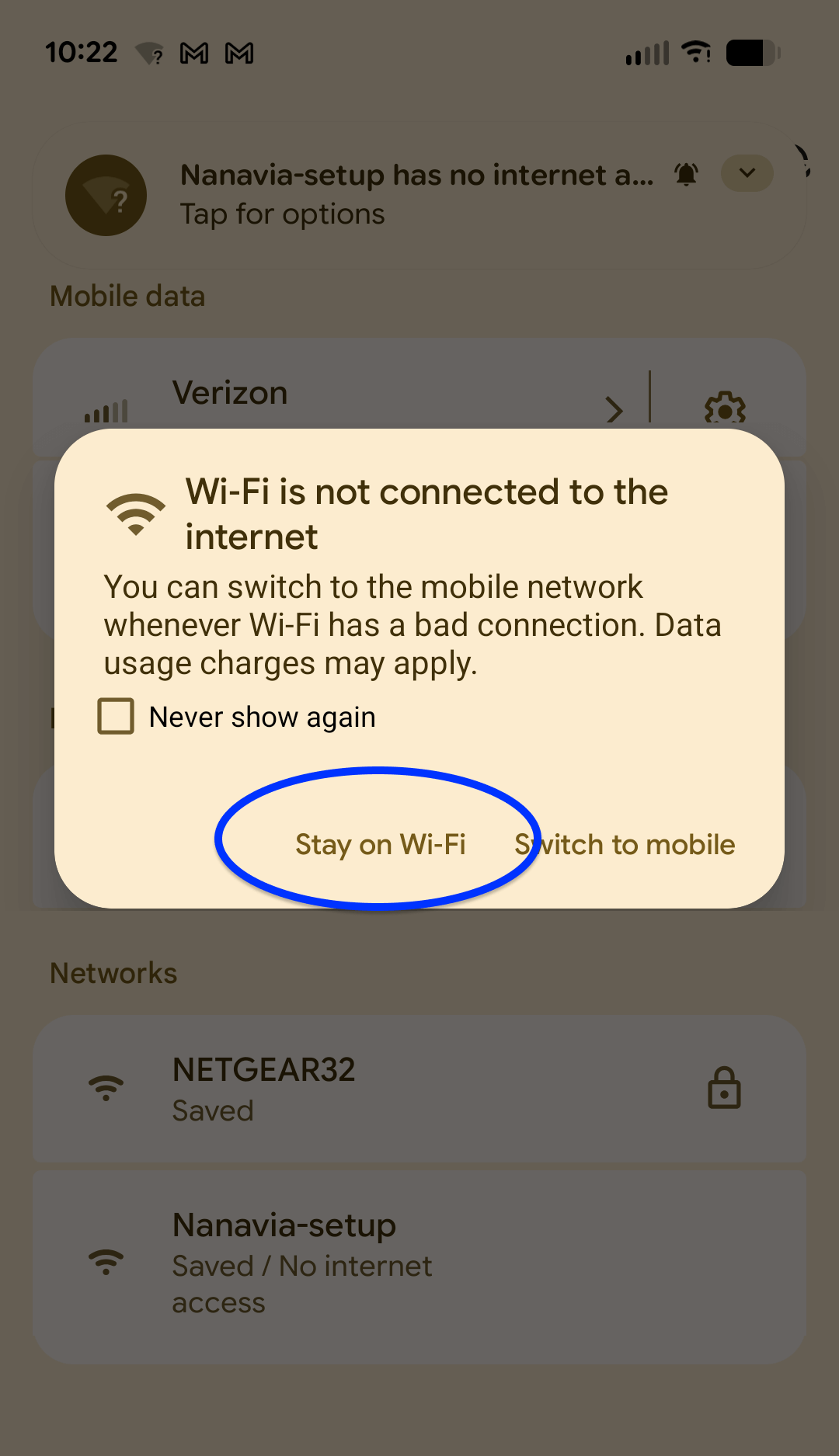
Android Screenshot
iPhone Screenshot
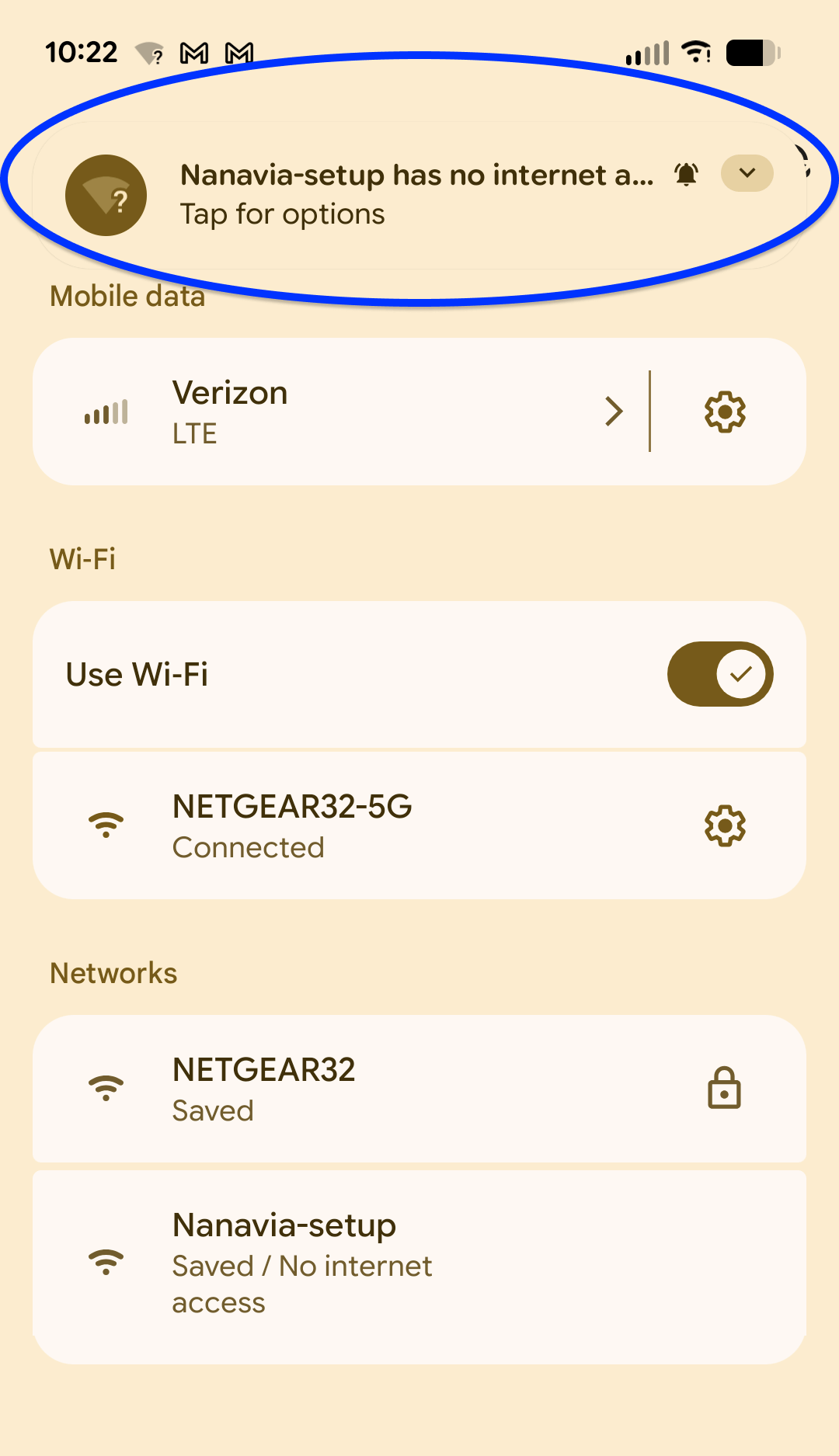
Android Users: Stay on this page for about 15 seconds - a notification will
tell you that the network does not have access to the internet. Open the notification and
click "Yes" or “Stay on Wi-Fi”.
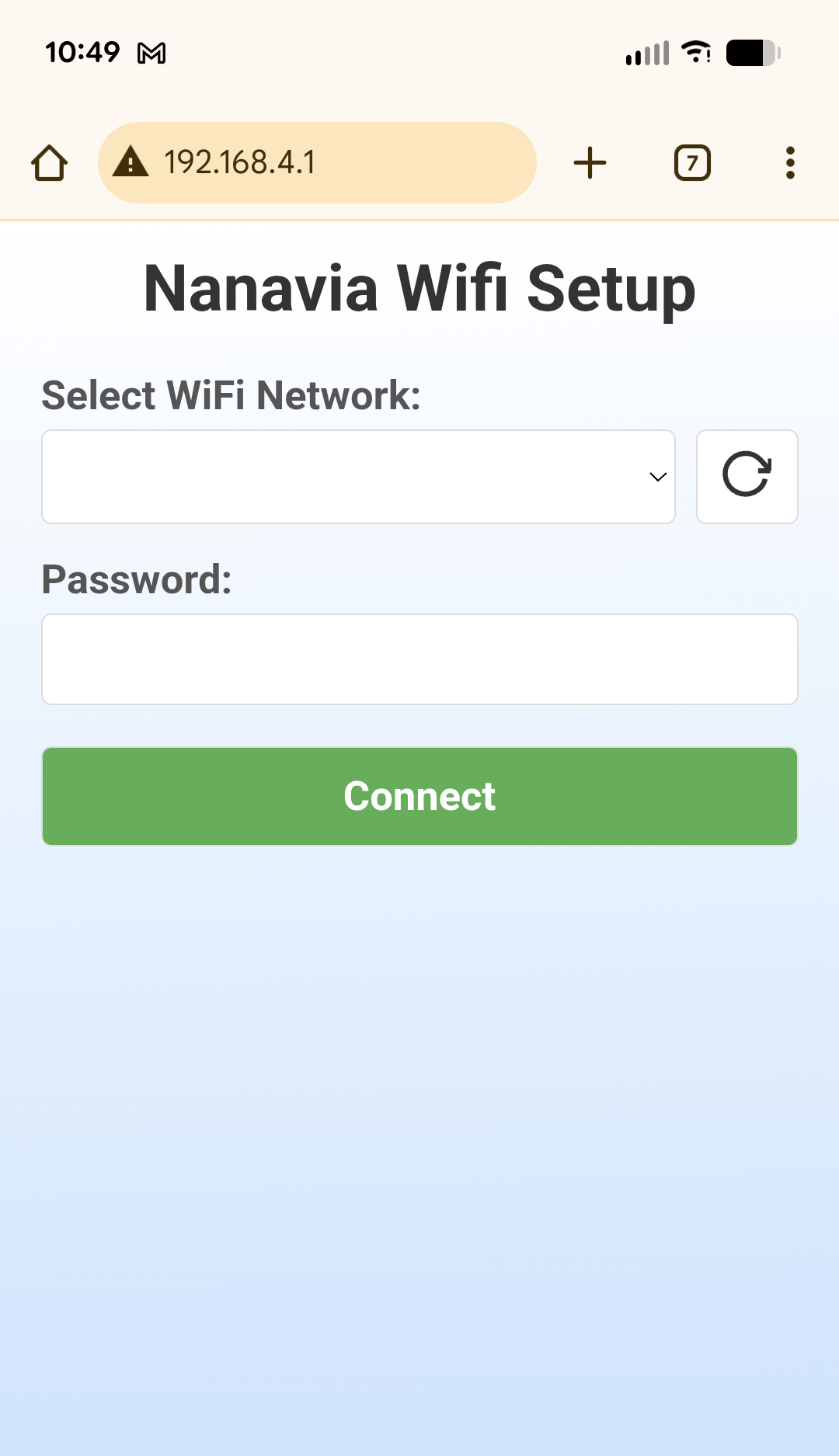
Open a browser and enter 192.168.4.1 into the address bar.
After a moment a Nanavia Wifi Setup screen will appear. Choose your Wifi network and enter
the network password.
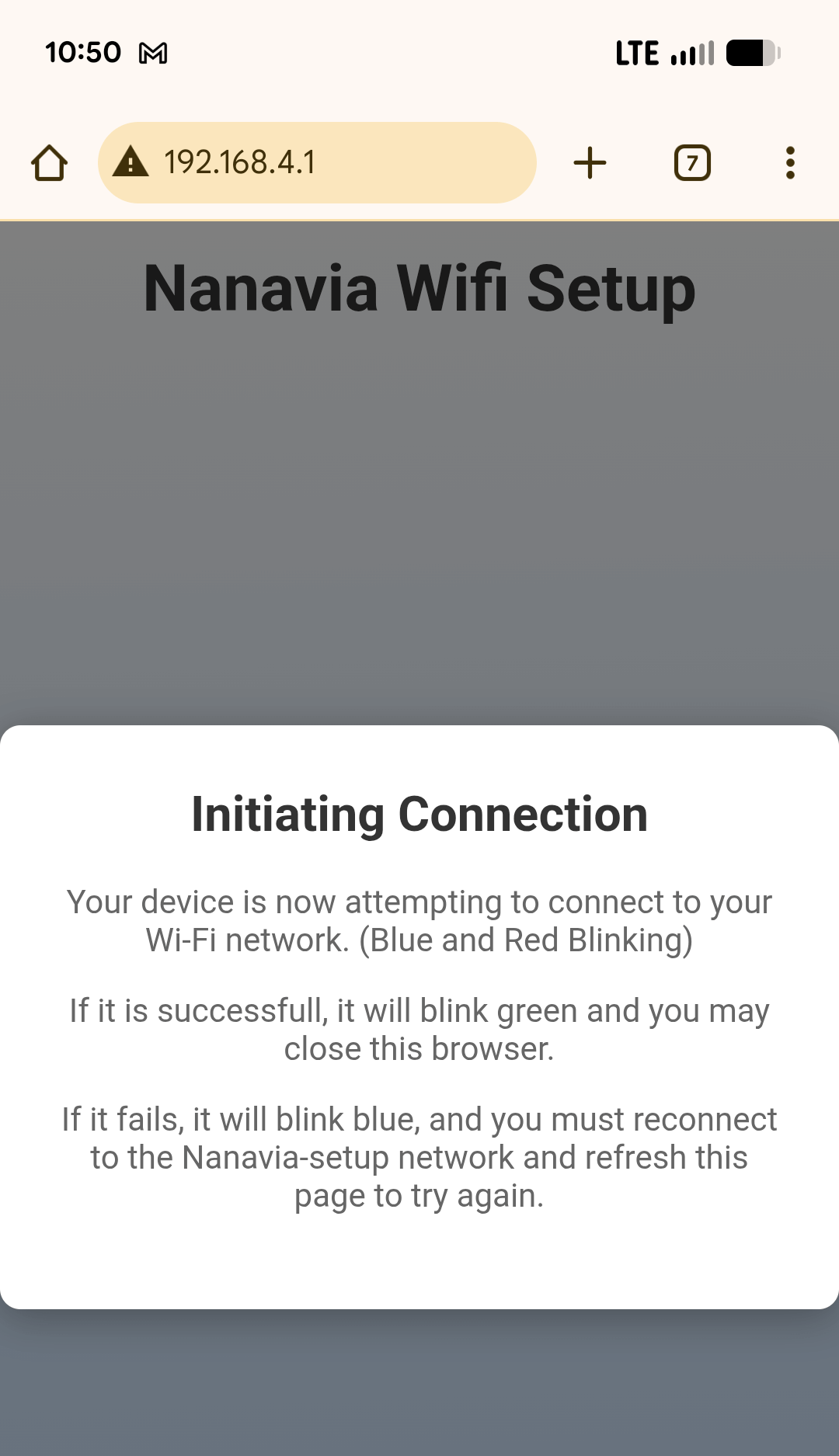
When you click “Connect” the webpage will disconnect from the device and show a message,
this is expected.
The device will flash ● red and ● blue while it attempts to connect to the Wifi network. If
it successfully connects it will flash ● green a few
times. Otherwise it will flash ● blue. If the device is
flashing blue, the network password was incorrect. Return to step 7.
The device is now set up! When it senses motion it will flash ● green.
Position the device as described in the Device Placement section. If the device is unplugged
it will remember your Wifi credentials so when you plug it in it will automatically connect.
Once the device is placed in the best location, verify that the green light flashes when you move about the room.
When finished, if you would like to turn off the green light (but keep monitoring enabled) push the small button on the front of the unit once.
Troubleshooting
When I plug in the device nothing happens. The power connector on the Nanavia device fits snugly. In some cases, the plug may not be fully seated. Gently push the plug into the device and try a small wiggle to ensure it’s fully inserted. The device will have colored warmup lights when plugged in correctly.
The device is blinking red. This indicates the device is not able to connect to the internet. Be sure your wifi router is on and functioning properly. The device will try to reconnect every 60 seconds.
The device is glowing red.This indicates the device was incorrectly setup before shipping. Please contact support
The device is blinking blue.This indicates the device is in wifi access point mode. Review the setup instructions to connect it to your wifi
My network password has changed.To clear the saved network information from your device:
Unplug the device
While pressing the button on the front of the device, plug it back in
The device should blink 3 times with purple to indicate the network information has been erased
Use the device setup instructions above to reconnect to the wifi network